

Docs is the knowledge-base module of Superfood Apps. It sits alongside Forms & Registers and lets your team write, organise and share living documents — how-to guides, cooking guidelines, quality procedures, training walkthroughs — with a modern block editor.
Where to find it
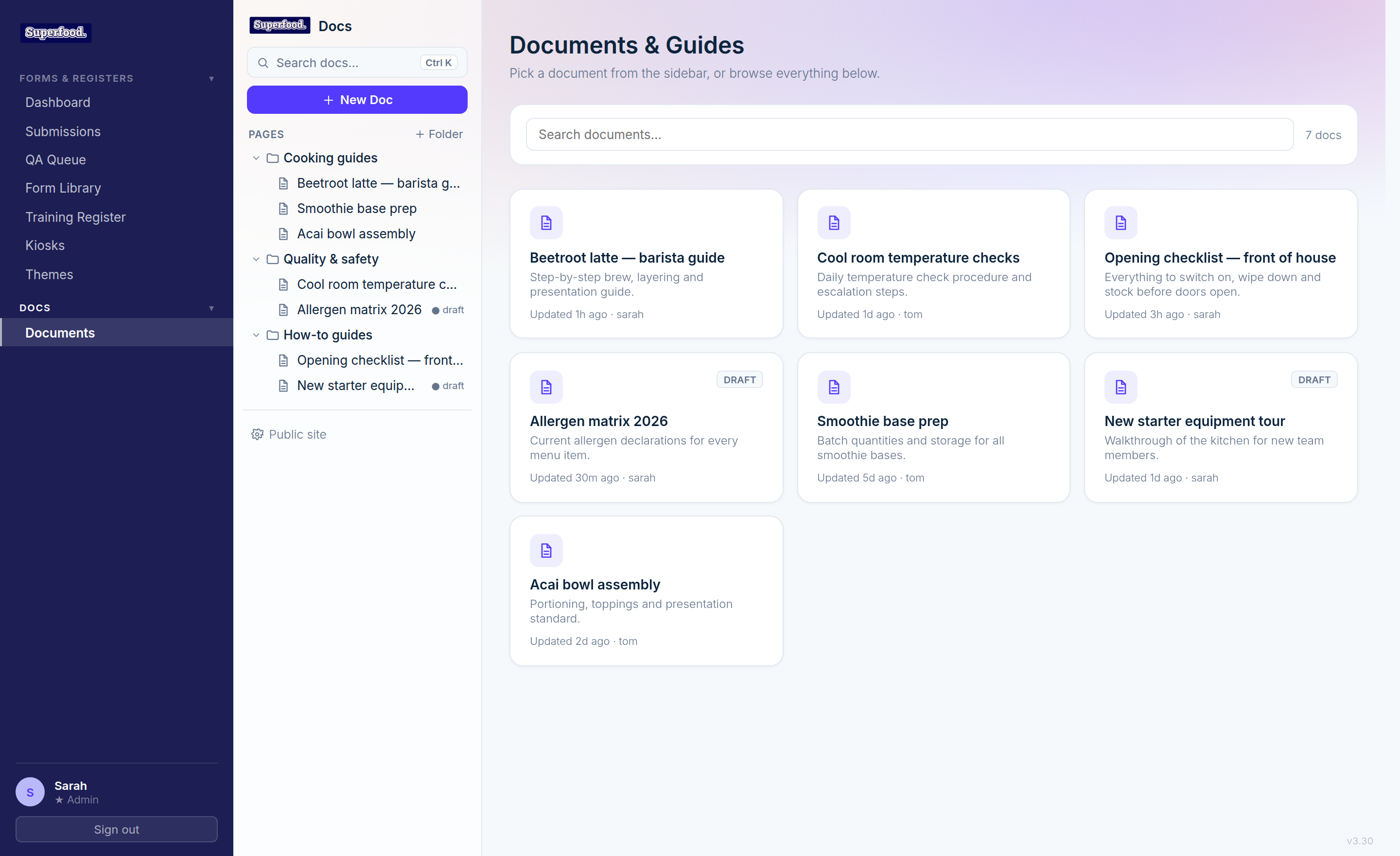
Open Documents under the Docs section of the sidebar in the portal, or use the Docs tab in your embedded workspace. The layout has three parts:
Pages sidebar — your folder tree. Click a folder to expand it, click a document to read it. Drafts are marked with a grey draft dot; only published documents are visible to non-authors.
Library — the main area lists every document as a card with its summary, last-updated time and author.
Search — the search box at the top of the sidebar, or the search bar above the library, filters documents by title and summary.
Jump anywhere with the quick switcher
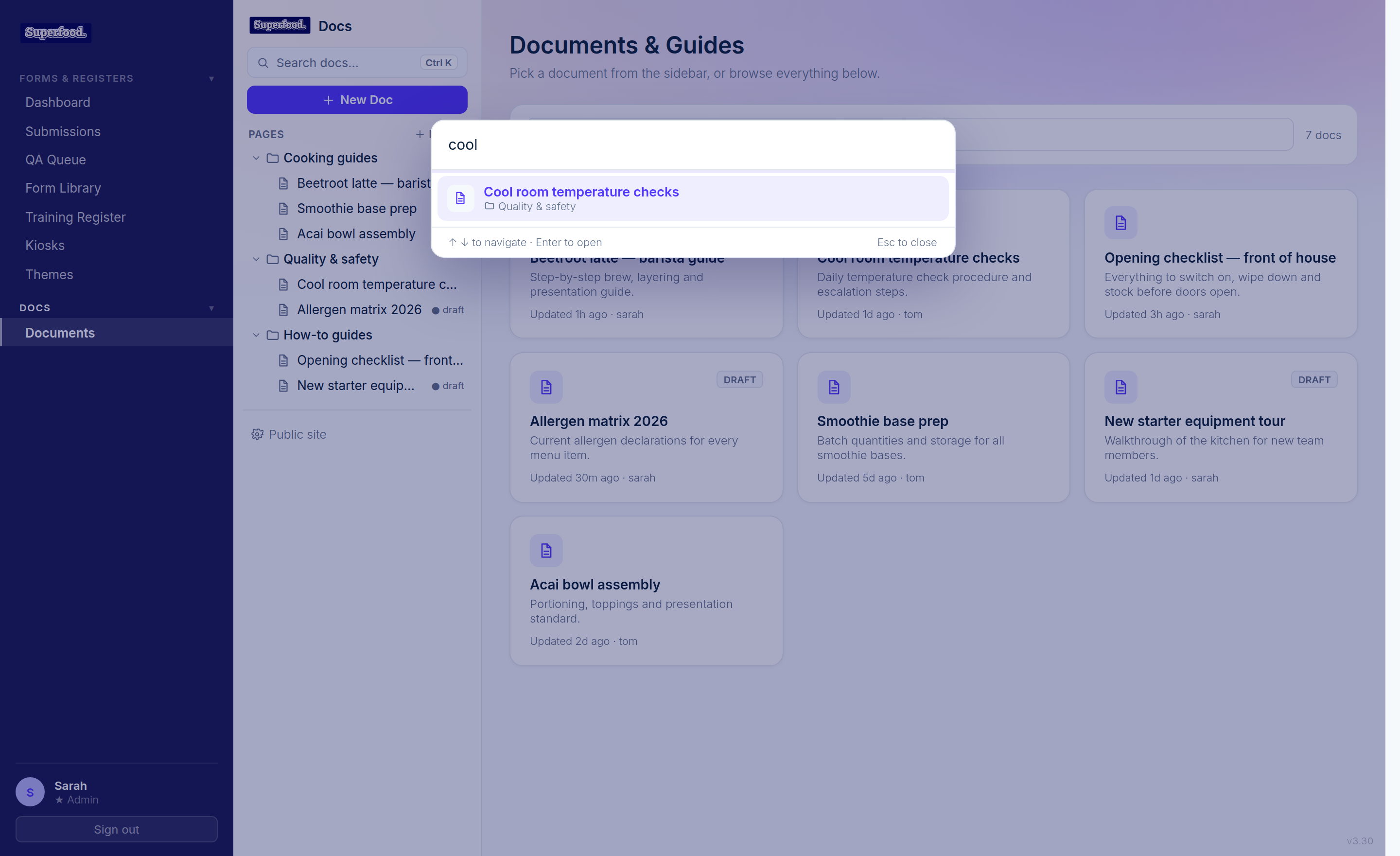
Press Ctrl K (or ⌘K on Mac) from any Docs page to open the quick switcher. Start typing and jump straight to any document or folder without touching the mouse.
Who can author documents
Admins, and any user in the Docs notification group, can create, edit, publish and delete documents. Everyone else sees a read-only library of published documents.
What's in the rest of this collection
Creating and editing documents — the editor, autosave and version history.
Blocks and the slash menu — headings, checklists, callouts, tables and more.
Photos, videos and galleries — adding media from your device.
Templates — built-in starting points plus your own saved templates.
Publishing and your public docs site — sharing documents beyond the portal.