

The Visitor Register is your site sign-in book, online. Visitors sign in on their own phone or a reception tablet, you see who is on site in real time, and every visit is kept for your audit trail. No paper book, no lost pages.
You will find it in the app launcher and the area switcher (top left) as Visitor register. Any signed-in team member can run the dashboard and sign visitors out. Admins design the check-in forms.
What a visitor sees
When a visitor scans your QR poster or opens a link you send, they get a clean, phone-friendly sign-in page themed with your colour and logo. They enter their mobile number, name and company, answer whatever questions you have set (who they are visiting, a safety induction, a signature), and they are signed in. The whole thing takes under a minute.
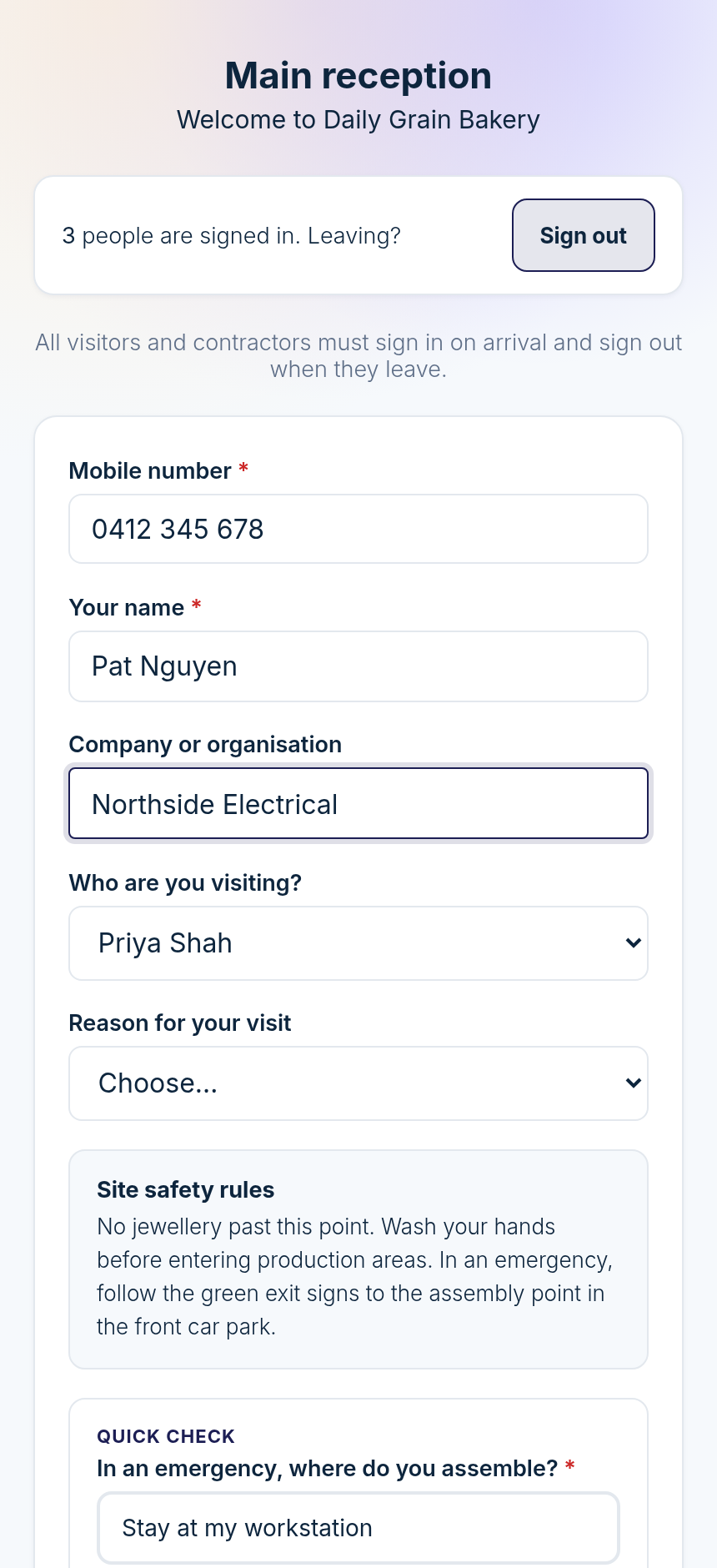
Returning visitors sign in faster
Regulars do not have to retype everything. When someone enters a mobile number they have used before, we recognise it and offer to fill in their details from their last visit.
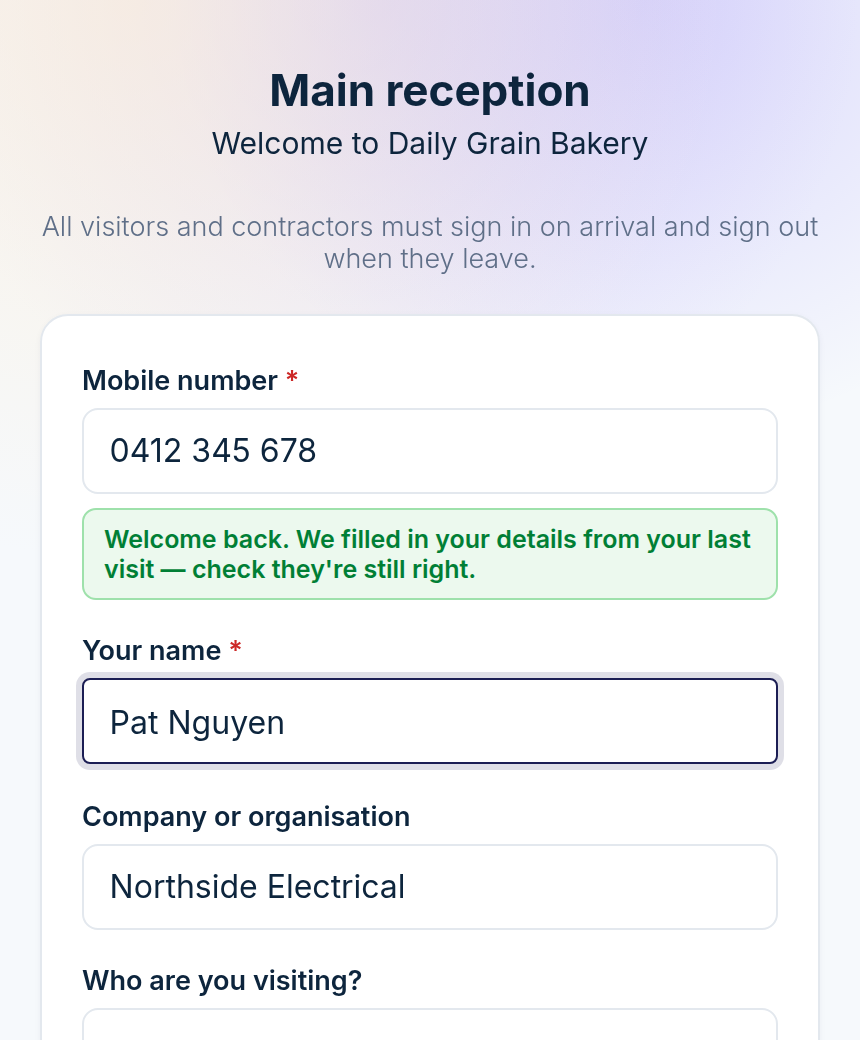
Only their contact details come back (name, company, who they were visiting). Safety declarations, training answers and their signature are always asked fresh, because those are the part that has to be current for every single visit.
The three things you set up
Check-in points — one for each entrance or area, each with its own form and QR poster.
The sign-in form — the questions each visitor answers, including safety induction and training.
Who gets notified — the staff a visitor can choose to be visiting, so the right person is emailed when their guest arrives.
The other articles in this collection walk through each one.