

Once visitors are signing in, the Visitor register dashboard is your live view of the site, and Visitor history is your permanent record.
Who is on site now
Open On site now from the sidebar. The top band shows how many people are on site, how many signed in today, and how many check-in points you have. Below it is everyone currently signed in, with their company, where they came in, and how long they have been on site.
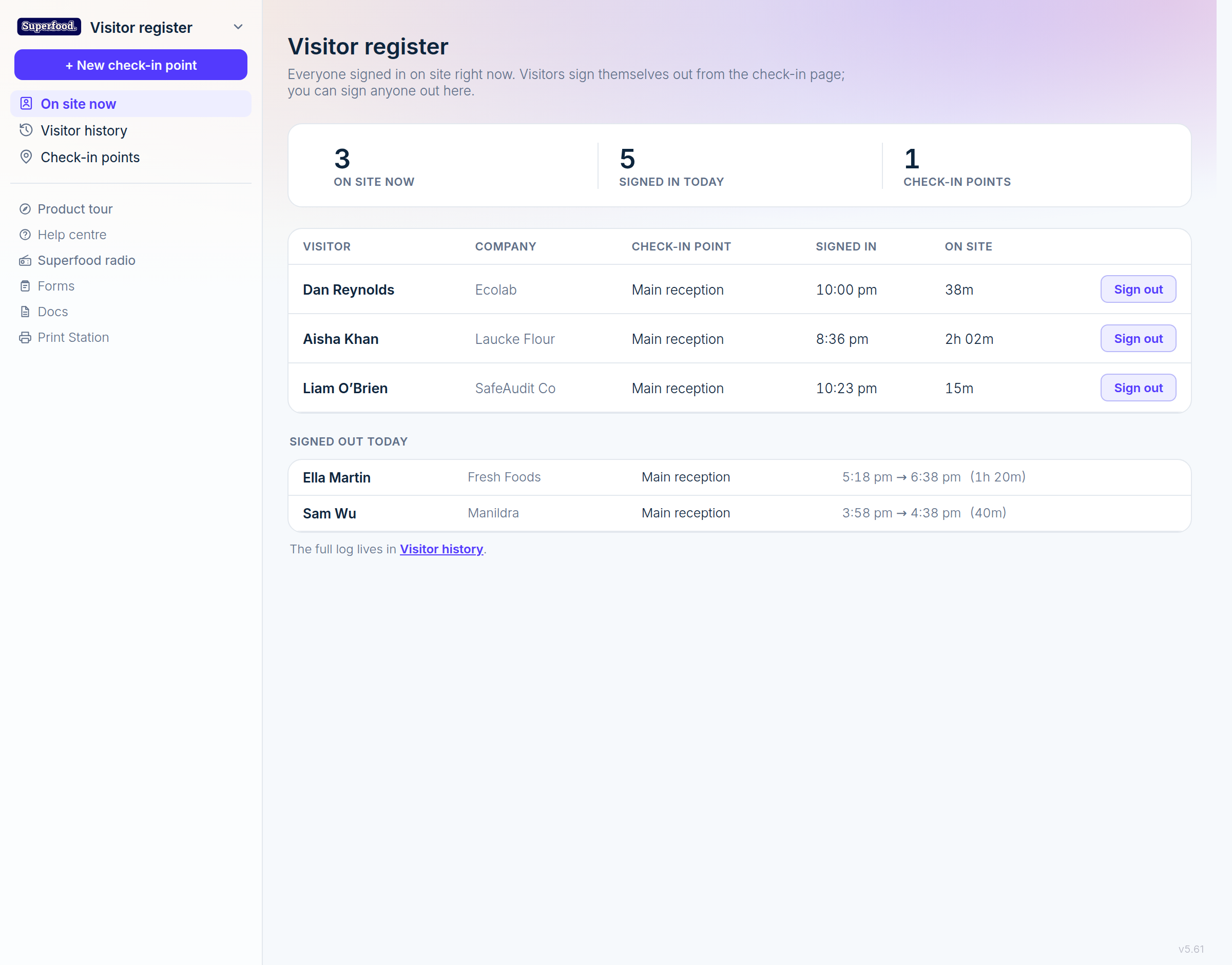
This list refreshes on its own, so a screen at reception stays current without anyone touching it.
Signing a visitor out
Visitors can sign themselves out from the check-in page (there is a Sign out prompt at the top whenever anyone is on site). When someone forgets, sign them out yourself: click Sign out on their row. Any team member can do this, not just admins, so reception staff are covered.
Today's completed visits appear under Signed out today so you can confirm at a glance that people have left.
The full history
Visitor history in the sidebar is every sign-in you have ever taken, kept for your audit trail.
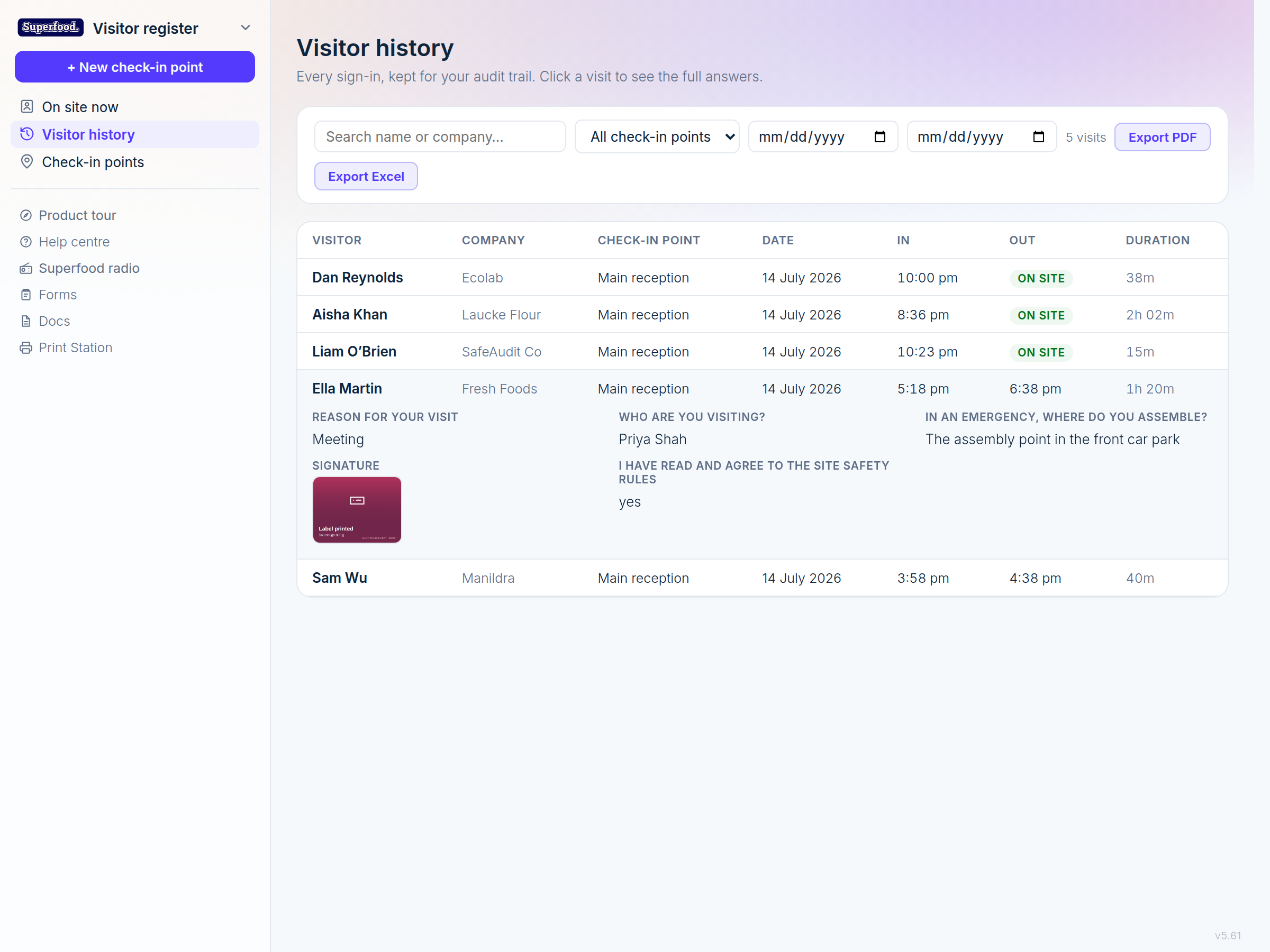
Search by name or company, and filter by check-in point or date range.
Click any visit to expand it and see every answer the visitor gave, including photos and signatures.
Export PDF or Export Excel to hand the record to an auditor or keep an offline copy. The export matches whatever filters you have applied.
What this gives an auditor
A complete, time-stamped record of who was on your site, when, who they were visiting, that they read and agreed to your safety rules, and that they answered your induction correctly, with their signature against it. That is the paper visitor book, done properly.